Tournaments
Tournaments Panel
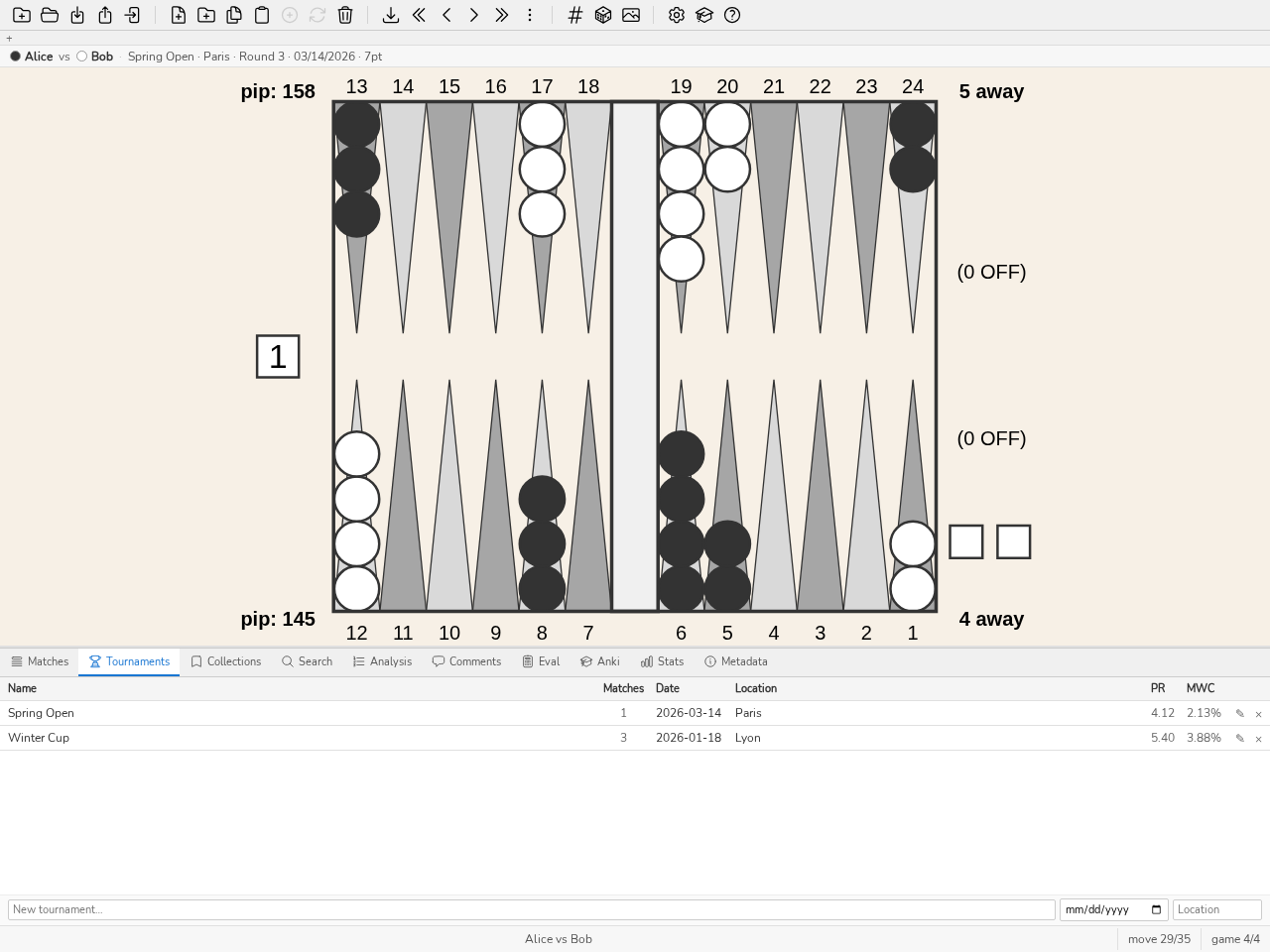
The Tournaments panel: one tournament per row, number of matches, reference player’s PR.
The Tournaments panel (CTRL-Y) groups matches into tournaments for organised tracking and per-event statistical analysis. Tournaments can be created, renamed, and deleted; matches can be assigned to them. Stats panel statistics can be filtered by tournament. Press CTRL-Y to show or hide the panel.
New tournament opens the creation field, which takes focus; ESC or Cancel closes it. The filter field, in the header strip, narrows the list as you type: every word typed must appear in the name, the venue or the date, the counter reads “shown / total” and ESC clears the field. A click highlights a row, a double-click or ENTER opens the tournament. Its header shows the date, the venue and the number of matches, which a click turns into the list of the tournament’s positions; on the right, the notes, Direct and Review. Below, its matches, one per line, which ▲ and ▼ reorder, which ⇄ swaps the players of and which × removes from the tournament. A click on a match shows its sheet under the table, the same as in the Matches panel (Transcript, Charts, Review, Details, Info, Stats tabs); a second click or ESC closes it, a double-click or ENTER opens the match on the board. The Add a match… field files a match from the database there, and ← returns to the tournament list.
Each row starts with its rank (#) and its date, as in the Matches panel: the list runs from the most recent to the oldest, and a click on a header sorts it. A tournament without a date takes that of its oldest match, shown greyed out; it is read, never written to the database. The date field of the edit form stays empty until something is typed in it: the date read appears only greyed out, beside the field, and saving writes a date only if one was typed.
Tournaments fill themselves on import. XG, GnuBG and BGF files name their event; when a new match is imported, blunderDB files it in the tournament of that name and creates the tournament if it does not exist yet. The location stays empty, and the date is that of the oldest match until you enter one here. A match already in the database is never refiled: re-importing its file does not undo filing done by hand.
The PR and MWC columns of each tournament show the PR and the MWC loss of the reference player, on that player’s decisions only. This is the database’s main player as soon as one of his or her analysed decisions counts in the tournament, whatever the number of matches: the player is recognized under all of his or her aliases, whose decisions are added together. Without a main player, or if none of his or her analysed decisions counts in this tournament (unanalysed match), it is the player appearing in the greatest number of the tournament’s matches; in case of a tie, the one who made the most decisions, then the name that comes first in character order (an accented letter after z). The PR therefore does not mix your play with your opponents’: once designated as main player, it reflects your performance alone in each of your tournaments, even a single-match one. The reference player’s name appears in a tooltip when hovering over the value.
Tournament review. The Review button, in the header of an open tournament, answers the question one asks coming home from an event: did I play at my level, and if not, where did it give way? The player defaults to the main player if he or she played in the tournament, otherwise the one most present in its matches (in case of a tie, the name that comes first in character order); the Player menu picks another. The thresholds were fixed before any results were examined.
The usual level is this player over their point matches of the 365 days before the tournament (its date, or failing that the date of its first match), the tournament’s own excluded. Only the before counts: it is the level one had on arriving. At least 5 matches are needed; otherwise it is declared unknown.
PR and MWC loss (7-pt eq.) of the tournament against the usual level, each with its 95% interval over the matches. The verdict — worse, better, usual — concerns the difference and its own interval; it is given only with an interval and at least 20 decisions on each side, otherwise it reads insufficient. A three-match tournament rarely says “worse”: the figures stay visible, the verdict waits for the evidence.
By round: each match in tournament order, with the opponent, its PR (interval over the games) and its 7-pt eq. loss, against the usual PR.
By rank of the decision in the match, in bands of 30 decisions: if the end of long matches costs more than usual, it is fatigue that needs work (breaks, rhythm), not a family of positions.
By score: DMP, Crawford game, post-Crawford and other scores, against the same scores of the usual level — the points where a mistake decides the match.
By pace: quick or considered decisions, on either side of the median of your times for this type of decision in the match. This is how the clock is read: the time reserve is not recorded move by move.
Tournament error families: at most three families of the study plan (see Study plan) restricted to the tournament’s errors, with the same rules (5 quantified errors, positive lower bound); the others are counted “to confirm”. These are the sessions to schedule first.
stats tournament prints the same review, and the server serves it through /v1/stats.tournamentReview.
Directing a tournament
blunderDB can direct a tournament, not merely file it away. The directing is carried by the Nicomaque engine, by Nicolas Harmand: it holds the format, the pairings, the brackets and the standings; blunderDB gives it an interface and keeps its matches. The ⓘ button on the Direction’s header recalls that credit and leads to the engine’s repository and documentation.
A directed tournament is chosen in the Tournaments Panel panel (CTRL-Y, direct command): open a tournament, then Direct. A tournament already directed shows its state beside its name and the button becomes Open the direction. While a direction is open, the main area shows the tournament in place of the board — blunderDB’s only exception to that rule; switching to any other tab brings the board back. Leave the direction, in the view’s header, or Close the direction, in the panel, closes it.
A direction has three states: in preparation while no match has been launched, under way afterwards, closed once the tournament is closed and the standings are frozen. Reopening a closed tournament is possible, and asks for confirmation: the final standings stop being final.
Everything decided is written into a journal, and nothing else is. The standings, the brackets, the proposals and the warnings are replayed from that journal at every open: a power cut costs nothing, and a correction never erases what happened — it is added to it.
The Directing page
This is where the director spends most of their time. From top to bottom: the engine’s warnings, which stay visible and never block anything; the table grid, whose header carries the Print the sheet button for the pairings; the last decision; the proposal queue; and the free players. The grid comes before the queue: a long queue never pushes it off the screen. On the keyboard, the first TAB stop in the page is “Go to the queue”, which puts the focus on the queue without crossing the grid; the queue recalls its shortcuts under its title (J and K, ENTER, LEFT and RIGHT).
The view fills the whole width of the main area, and each tab scrolls on its own: leaving a tab and coming back, or switching from one competition to another, restores the position where you left it. Buttons and fields are at least 44 pixels tall, so they can be hit without precision at the desk; the number of columns of the grid follows the width of the area, not that of the window. In Settings, each section folds onto its title, and the Open in the browser button in Settings and the Wall page button in the header open the wall page in one click once an output folder is chosen; the status bar gives the path of the file written. Registration, late arrival, next phase, draw, starting a match and closing also leave a confirmation there (“Sophie Martin registered — 16 registered”).
A Direction opens on its Players until the tournament is started, then on the Direction tab, and on the tab where it was left when it is reopened. After a reload or a restart of the application, the last open Direction reopens by itself, on the same tab. A second click on Direct or Open the direction while the view is loading is ignored.
A proposed round can be announced before it is launched: Upcoming round…, next to Print the sheet, asks for the date and time to print (“Monday 21/09, 8 pm”) and prints the sheet of the pairings in the queue, marked “announced”. Nothing is launched or written to the log: the round is launched on the day, at its time. A pairing waiting for a free table carries a dash instead of the table number.
At the top of the tournament view, the clock strip fits on one line: the time, the time elapsed since the first launched match, the matches played and running, the observed pace in minutes per point against the planned pace, the slow matches, the next break and the estimated end. The estimated end is the engine’s forecast: it replays the log, finishes the tournament fifteen times at the planned pace, and the strip gives the median, pushed past the declared breaks. A night that is not declared as a break therefore counts as play. A time that is not today’s carries its day.
From the second day on, the elapsed time gives way to the day of play (the day of the first launched match is day 1) and to the playing time: the time during which at least one match was running, without the nights or the gaps when no table was playing. A closed tournament has no clock strip any more.
A proposal is confirmed with one click on Launch. Launch all confirms, in two clicks, the proposals that have a table, after showing their list; Confirm sits at the head of that list. Pairings without a table stay in the queue, marked “no free table”: in rounds mode, a round stays open until all its players are engaged in it. A repechage between tied players also waits for the director’s choice, and the phase change with it. “Ignore for now” writes nothing: the engine is deterministic, and the proposal comes back identical at the next call. Pair by hand is offered at all times — the engine proposes, the director decides.
A match paired by hand without a table number takes the first free table; a table where a match is in progress is refused. If all the tables are taken, it is started anyway and its cell appears at the end of the grid, “no table”, until it is moved to a table.
A proposal may carry a remark from the engine: no free table, or a match expected to end during a break. It stays launchable in both cases. When a phase runs in micro-rounds, the queue shows the time left before the next batch; at the deadline the proposals appear by themselves, and nothing launches on its own.
The result card
A click on a busy table opens the match’s card. It shows two large targets: the names of the two players. Clicking the one who won records the result — two clicks in all, table included. The winner is the only thing required; the score is free, either one, both or neither. On the keyboard, LEFT or RIGHT picks the winner and ENTER records it. The card closes only once the result is written: a failure leaves it open, with its message.
The ⋯ button on the card unfolds what is rarely needed: the forfeit — each button names the absent player and the one who wins —, a free remark (“lost on time”, “abandoned because of…”), moving the match to another table, and cancelling it. The forfeit and the cancellation are confirmed; the forfeit by a Declare forfeit button, which also offers to withdraw the loser from the same card. Moved to a busy table, the match swaps its table with the one who occupies it: two matches never share a table, and the same gesture puts them back. If an old log left two on one table, the grid shows both cells, flagged, until one of them is moved.
A typing mistake seen at once is taken back in two clicks below the grid: Correct the last decision, then the right winner (CTRL-Z opens the same take-back). An older correction is made from the history.
Full screen
The F11 key on the Direction page, or the button at the bottom right, puts it in full screen: the toolbar, the tabs, the board, the panel and the status bar disappear and the whole window goes to the tournament director. The mode carries across the direction’s tabs (Direction, Players, History, …). An open menu or card closes first on ESC; a second ESC, or F11, leaves full screen and returns the window to its previous state. Leaving the page, by switching the application tab or closing the direction, ends it too.
Quick search
The / key on the Direction page opens the palette on the tournament alone: players, tables, running matches and competitions of the open event, or of the competition alone when it is in no event. Type a name, a club or a table number (“4” or “t4”); players at a table come before free players. ENTER takes you to the object: a player in a match, a match or an occupied table open the table’s card, a free table is focused in the grid, a free player is shown in the Players tab filtered on their name, a competition becomes the current tab. A result from another competition of the event switches competition first. ESC closes without opening anything, and the key stays a slash in an input field. CTRL-SHIFT-P opens the full palette, which also contains the tournament.
The players
The Players tab enters, corrects and withdraws. The entry field keeps the focus and empties after each name: twenty players are entered from the keyboard alone. Autocompletion offers the players of the database; choosing one fixes the exact spelling their matches carry and pre-fills their rating with their PR.
The directory gathers the entrants of every directed tournament of the database, de-duplicated by name, with the club and the rating of their last entry. It is never stored: deleting a direction takes its entrants out of it. Taking the entrants of a previous tournament is one click, whatever their number; the directory is copied as CSV or saved to a file (Save…), and reads back pasted.
A doubles competition enters pairs: the Pair box adds the partner’s name, club and rating. The pair plays under the name “A / B”, which its matches carry too; its rating is the mean of the two, and a value typed in Pair rating replaces it. The directory keeps the two persons, never the pair.
Before Enter them, the preview of a pasted CSV lists the unreadable lines — no name, no separator when the other lines have one, a rating that is not a number — and the duplicates, within the paste or with a player already entered. A duplicate is not entered unless its box is ticked.
The list’s filter field keeps its text when you switch competition: while it is active, a filter: … chip appears next to it, and its cross clears it.
A latecomer arriving after the draw takes a free bye if the bracket still offers one, and the interface writes beside the field where they will enter before it is validated. With no free place, they are entered all the same and the view says which phase they will enter. No draw already made is ever redone.
A withdrawal happens now or after their current match, depending on whether the player leaves at once or finishes what they are playing; it is confirmed by a Withdraw button, not red since nothing is deleted.
A player missing a round does not need to be withdrawn: Mark absent, on their row, opens a small form under their name — until a time (pre-filled with the next hour), or, when the current phase is a round-by-round Swiss, until round with its number. The engine then simply stops pairing them, but their rank, lives and place in the bracket stay whatever they have earned — an absence is not a forfeit. Return, on their row, lifts the absence in one click, before or after the declared deadline.
Correcting the entry of a withdrawn player — their name, club, rating — leaves them withdrawn. Their return is a gesture of its own: Reinstate, on their line. They are paired again, with the results and lives they had when they left; the matches lost by forfeit at their withdrawal stay lost.
A pool qualifier who withdraws before the next phase is drawn leaves a place open. The queue then proposes a repechage: the next player of their pool, neither qualified nor withdrawn, with the most pool wins, takes their place. Among tied players, the queue proposes each of them and the director chooses; “Next phase” without a repechage leaves the place as a bye. Once the bracket is drawn, the withdrawn player loses their match by forfeit.
Brackets, slots, standings, history
The Brackets tab draws the brackets with their connecting lines, from the first round to the final, the consolation next to the main bracket, and, for a Swiss phase, the lives table. A pool reads as a cross table of results. A bracket not yet drawn shows its greyed-out skeleton. A match already played carries its result; a match the engine flags is marked in place. A dot next to the tab name shows that a bracket is running.
Clicking a seat (or pressing Enter on a focused one) opens on it the same card as on the table grid: the winner of a running match is entered in two clicks, and a finished match is corrected by clicking the name of the true winner.
The Matches tab (titled “Slots”) links the tournament to the library. Every match of the tournament is a slot, which can be filled in two ways: transcribing the match on the spot (Transcription Panel), or attaching a match already imported. Nothing is attached by inference: a coincidence of names is a suggestion to accept, a partial match is not even suggested, and if the file of an attached match contradicts the recorded result, the disagreement is shown without being resolved — during a tournament, the director’s word stands.
The Standings tab shows the current standings, section by section, with each player’s record (wins–losses) and the prizes when a prize fund is set. Two tied players share the place and the prize. A withdrawn player keeps the rank their run earned, marked “withdrawn” with their record or the point in the bracket where they stopped. Close the tournament freezes the final standings. The standings are copied as CSV, in the language of the interface, with the section and the last phase each player entered, or saved to a file: Save… opens the system dialog on a proposed name, the tournament followed by the word “standings” and today’s date, and the file holds exactly the copied CSV. On the command line, blunderdb tournament standings writes the same CSV. A player’s name is a link: it opens the History filtered on that player, where each of their results can be corrected.
Closing with no match under way is one click; when everything has been played, the queue also offers Close the tournament, which is launched like any other proposal. With matches under way, the Standings say how many and wait for a second click in place: closing freezes the standings without them, and their result can no longer be entered. Reopen is confirmed the same way; the final standings then stop being final, and the reopening stays in the log.
The History tab is the journal in plain words: one line per decision, in order, filterable by player or by match. It is what a director re-reads after a dispute, and it is where an older decision is corrected or annotated. A result line names both players: the winner, then their opponent.
Correct, on a result’s line, opens below it the same take-back as the last decision: click the right winner, with the score if needed. The original result stays in its place in the log, the correction is added to it, and the standings take it into account at once.
The settings
The Settings tab opens on named formats: six club tournaments ready to use, the first of which is recommended. Choosing one is enough to begin; the fields stay editable afterwards.
Set here: the phases (Add a phase adds it after the others; a phase already opened cannot be removed) and their match length, that of the final, the lengths round by round of a bracket (“15, 13, 11” reads from the last round backwards), the ending length (longer matches from a number of players still alive), the micro-rounds (pairing in batches every N minutes), the number of tables, the planned pace in minutes per point (8 by default; the clock strip and the estimated end start from it), the breaks of the day, the prize fund (entry fee, the club’s retention, a scale per section) and the display folder.
A bracket has three boxes: Consolation (its losers play a second bracket, a separate section in the standings), Reconciliation (the consolation winner plays the main bracket winner; the box only appears with the consolation) and Recharge (in double elimination, the main bracket winner must be beaten twice; the box only appears with the reconciliation). A consolation has standings of its own only with a prize scale: as long as the Consolation section’s scale is empty, the Settings say so. A Pools phase is set by the size of its pools (4 by default) and the number of qualifiers per pool (2 by default).
A Swiss phase’s switch is the sum of remaining lives from which play moves on to the bracket. If the sum of starting lives (players × lives) is already less than or equal to the switch, the Swiss phase would be skipped: the Settings flag it before the first launch.
The settings stay reachable during a tournament: lowering the switch at 22:00 to finish earlier, adding a consolation on the Saturday evening, as long as the bracket has not been drawn. What is then frozen is greyed out with its reason: the format of an opened phase, the number of lives it has handed out and, once a phase is drawn, its pool size and number of qualifiers. Saving during a tournament first shows the list of what will change, and asks for confirmation. What the engine refuses appears there with its reason, and nothing is saved: that is the case for the consolation, the reconciliation or the recharge of a bracket already drawn.
A table with a broken board is declared in Tables out of service: its numbers, separated by commas (“7, 12”). The engine no longer assigns it, and the grid shows it as out of service; lowering the number of tables would remove the last one, not the broken one. If a match is under way on a table taken out of service, the list of what will change says so and names a free table to move it to, from the match card.
Seeding is an option, off by default: the engine’s study concludes “no protected seeds”, which is the current culture of backgammon. Switched on, players are placed by rating.
The competitions of an event
Several competitions played on the same tables — a main, a speed, doubles — are grouped in an Event, at the top of the Settings (collapsed to its title when the competition is attached to it; the Event settings button of the All tables tab leads there): Create and attach… creates the event with its number of tables, Attach… adds a directed competition to it. Attaching first shows what will change: the competition’s tables become the event’s. Detach from the event gives the competition back to itself, with its log and its tables; Delete the event, after confirmation, moves it to the trash and detaches its competitions without deleting any.
In an event, no competition proposes a table where another is playing: the grid shows those tables as in use, with the competition’s name, and a pairing with no free table waits. A table out of service is ticked once, in the event, and applies to every competition; the number of tables, the tables out of service and the breaks changed in one competition’s Settings apply to the event as well, and the list of what will change names the other competitions.
The table properties are set in the Event panel: a grid with one row per table, with its name (“Stream”, for example), its room (a free label), a Reserved checkbox and the players it is Assigned to, chosen among those registered in the event’s competitions. For forty tables, Tables from N to M, room sets a room on a whole range in one go; Save only writes the tables that carry a property, the others remain ordinary tables. A reserved table is never proposed, but a match can still be placed on it by hand, through a launch, a move or a drag-and-drop. An assigned table first receives its holder’s match, when it is free; otherwise the match gets an ordinary table, and outside its holders’ matches it behaves like a reserved table. Two holders of different tables who meet play on the lower-numbered of the two.
A room is the set of tables that carry the same label: “room A” for tables 1 to 20, “room B” for the following ones. In the Settings of each attached competition, Rooms this competition plays in ticks the rooms where it plays: the DMP in B, the speed in A. With no box ticked, it is all the tables; a competition receives no proposal outside its rooms and cannot move a match there. Removing a room that carries a match in progress of the competition is refused, naming the table. A competition that plays alone sets the same table properties in its own Settings, without competition rooms.
The Season ranking, in the Event panel, adds up the closed competitions of the event: each place earns the points of the Scale (winner first, 25, 18, 15, 12, 10, 8, 6, 4, 2, 1 by default), and ties share the average of the places they occupy. A person is recognised from one competition to the next by name. Club Elo adds a column: everyone starts at 1500 and the season’s matches are replayed in order, using the FIBS formula. Calculate shows the ranking, Copy as CSV copies it with one column of points per competition. A competition that is not closed earns nothing.
Opening the Direction of a competition in an event opens the others too: a tab per competition appears at the top of the Direction, each with its summary — pending proposals, matches under way, an alert if there is one. Switching competitions is a click on its tab, with no confirmation; the competition left behind does not close and replays nothing, it stays exactly as it was left. A tournament outside any event has only one competition: no tab to show. Switching to another tab of the application and coming back to Tournaments restores the Direction as it was left: the same competition or All tables, and the same tab of the view.
The All tables tab, left of the events, shows every table of the event in a single grid: one cell per table, whatever event holds it, marked with that event’s name and colour. The result card, context menus, keyboard and drag and drop work there as in an event’s grid, and each gesture goes to the event of its cell. Dragging a match onto a table held by another event swaps the two matches after a confirmation that names both events. Below the grid, the proposals of every event form a single queue, each marked with its event and with its own Launch button: the players who have waited longest come first, so that one event does not wait for the end of another’s round. A match with no table — every table taken, or a player held by a match of another event — follows the queue with its reason and no Launch button, until a table or the player frees up. Clicking an event or a view tab leaves All tables.
When the event has several rooms, the grid is grouped by room, under the name of each. A table’s name is displayed next to its number, with a flag for a reserved table and a star followed by the holders for an assigned table; proposals also name the table.
One person may play several events of the event: two Participants with the same name are the same person, and for a doubles pair each of the two members counts. While they play in one event, the others do not propose them, and their Waiting list says where they play: “plays in the main event, table 4”. A bracket match waiting for them stays in the queue, and launching it is refused while they play. Pairing by hand remains allowed: the match starts, and its grid cell carries the same note.
Displaying a tournament
A tournament is watched. Choosing a display folder in the Settings is enough once and for all: blunderDB rewrites a standalone HTML page there at every change, and the page reloads itself. It opens offline, on a second screen or projected, and loads no outside resource. Open in the browser shows it at once.
Players can also follow the tournament on their phone. In the Direction’s Settings, the Show on the club network section starts a small web server on the director’s machine (port 8770 by default, changeable) and shows the QR code of its address, with the plain address next to it: a phone connected to the same network scans it and sees this tournament’s display page — bracket, pairings, results, standings. The page updates itself every ten seconds; a result entered appears there without touching anything. Open on this machine opens it in the computer’s browser. Stop showing shuts the server down, which also stops when blunderDB is closed.
The display is off until the director turns it on, and it is read-only: it serves only this tournament’s page, no other data from the database, and nothing can be entered through it. There is no password: anyone on the local network can read the page (names, pairings, results) — what a wall screen already shows the room. The server listens only on the proposed address and on this machine. On a machine connected to several networks, a list offers its addresses: first those of private networks (192.168.x.x, 10.x.x.x, 172.16.x.x to 172.31.x.x), then those of virtual networks (containers, VPN). An address outside the private ranges is flagged with a warning: the page might be readable beyond the club there. Without a local network, the panel says so and draws no QR code. The display stops when another file is opened, created or closed. Starting the display on a port that is already taken says so plainly and leaves the running display untouched; restarting it on its own port replaces it at once.
The firewall of the director’s machine must let the chosen port in: Windows asks for permission on first launch, while the firewall of a Linux system blocks the port silently. The phones, for their part, must be on the same network as the machine. On a phone, the page fits the screen width (the tables scroll on their own) and, if the display is stopped or unreachable, it writes “Affichage interrompu : données de HH:MM” instead of suggesting it is up to date.
The pairing sheet goes on the welcome desk: one click on Print the sheet opens the system’s print dialog. One line per match — the two players, the length, the table, two empty boxes for the score — and a round of thirty-two players fits on one A4 page.
An event has its own output folder, chosen once in its Settings panel with the same Choose folder button: blunderDB writes index.html there, the event’s wall page — one line per table, whichever competition occupies it, with each competition’s announced rounds and a link to its own page — and each attached competition writes its own into a subfolder. A gesture in any competition of the event regenerates the wall page; an attached competition’s own folder is kept but ignored as long as it stays in the event.
When a competition is in a bracket phase and the bracket has been drawn, its wall page and the event’s show the tree large, readable from a distance: one column per round, with the losers who drop into the consolation drawn dashed. The page scrolls through its views by itself, without any script, between its usual content (the tables, for the event) and the tree of each competition in a bracket, twelve seconds each; it always reloads every thirty seconds and resumes the rotation where it was. A competition with no bracket — a Swiss phase, for instance — has no tree and the page stays as it was.
Under the heading “Am I playing?”, an event’s page and the wall page of the festival name the players who are not playing right now, as the engine places them: “eliminated” once they have no match left to play, “qualified” with the name of the phase the player enters, “not decided yet” when their fate depends on the end of the phase or on a repechage the director has not settled, “bye — enters at round N” for a player drawn without an opponent in the bracket, until they have played, “bye — plays again in round N” for the bye of a Swiss round, and “winner”. The standings take over once the tournament is over.
Outside the interface, the blunderdb tournament sub-command reads a directed tournament without a graphical interface: list, verify, standings, page and export; proposals shows the engine’s queue, numbered, and confirm confirms one of them, repechage included; ranking --season adds up the closed tournaments of an event or of a period into a season ranking, using a scale of points per place and, optionally, a club Elo (two entrants with the same name in one closed competition make the ranking refuse, since it knows a person by name); page --rencontre writes an event’s wall page instead of a single competition’s page; hall prints an event’s All tables grid and its queue, tables the tables’ properties and the competitions’ rooms. See Command Line Interface (CLI).